
From opportunity to impact.
Opportunities → Partners → Proposals → Projects → Results
Discover opportunities, find partners, develop proposals, and share project results — in one connected workspace.
Explore opportunitiesplanCoo is a Collaborative Ecosystem Platform (CEP), an emerging category for collaboration across organizations. What is a CEP? · Microsoft Marketplace
A guided demo · James Smith
Build a collaboration ecosystem, one project at a time

James Smith
Nordic Learning Group A/S
Project Name
Demo Erasmus project
01 / 07
Get set up on planCoo
James creates his account, fills out his personal profile and sets up the company page for Nordic Learning Group A/S.
James Smith
Public profile

Nordic Learning Group A/S
Company profile · Denmark
02 / 07
Build the org chart and assign licenses
James maps Nordic Learning Group’s departments and teams, then chooses who gets the five licenses included in the Starter Kit he bought.
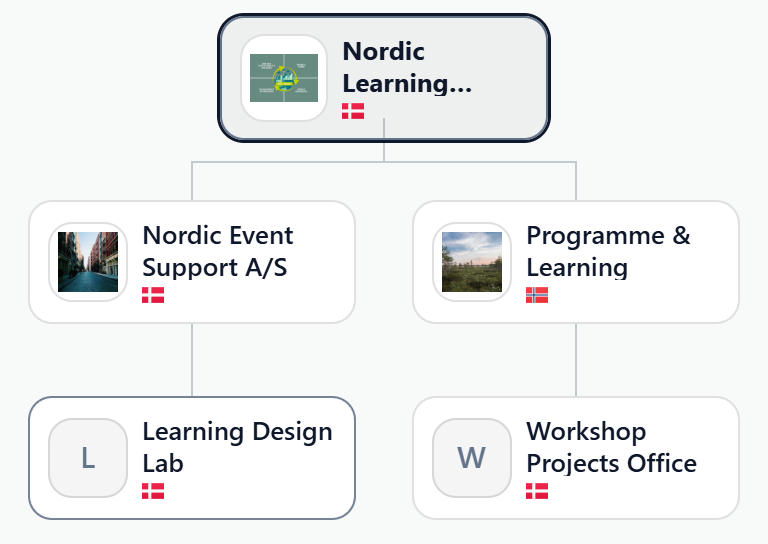
Starter Kit · 5 licenses included
James assigns one license to one person in each of the five units.
03 / 07
Create a project
James creates Demo Erasmus project for Nordic Learning Group A/S. The project starts private. Next, he brings in the people who will do the work.
Project Name
Demo Erasmus project
Nordic Learning Group A/S
04 / 07
Add members and assign roles
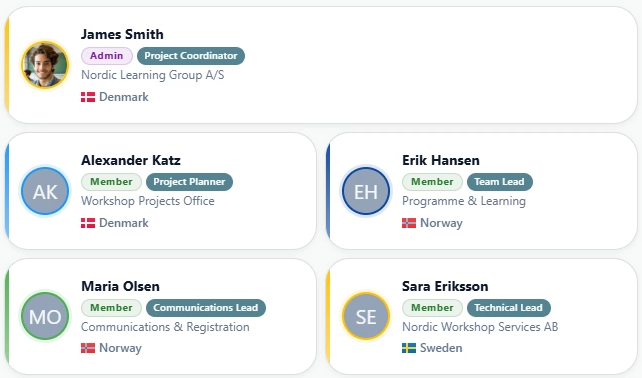
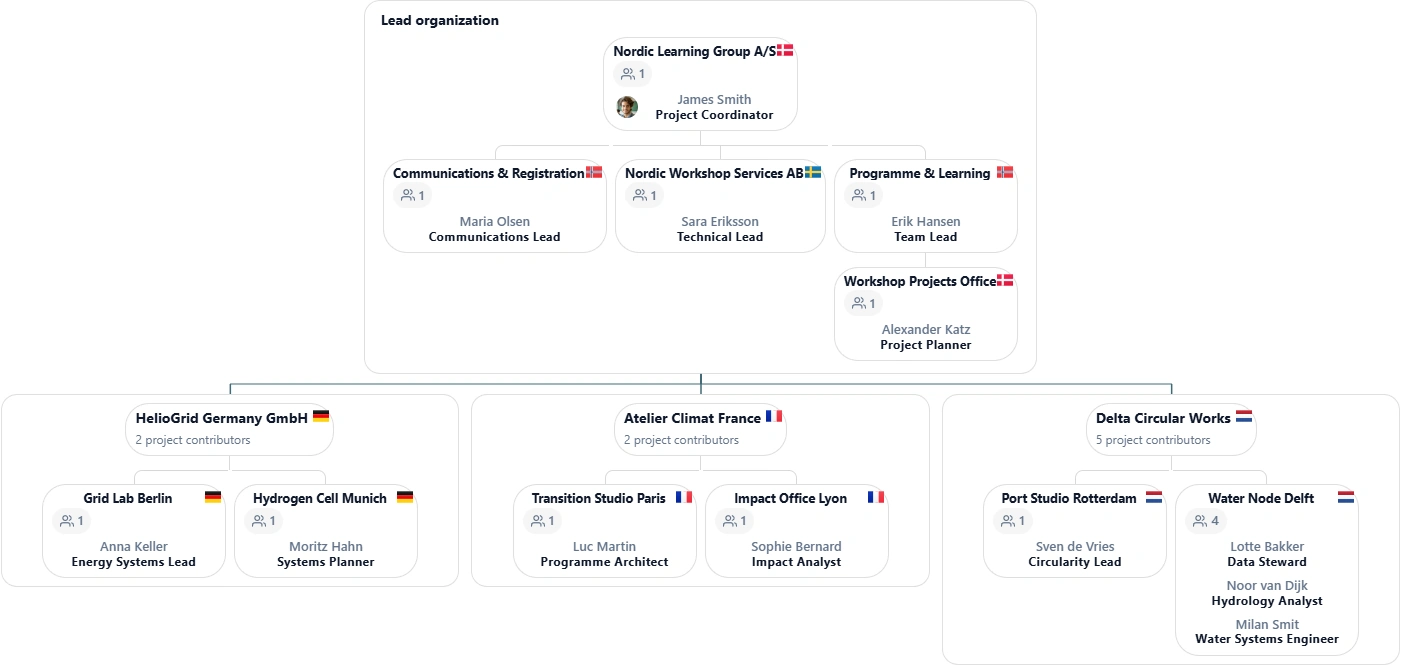
James adds four members to Demo Erasmus project and assigns each a project role. As Project Coordinator, he can see who leads planning, communications and technical work. Demo mode adds three fictional partner organizations to the map without changing the project team.
05 / 07
Plan the work and keep the team updated
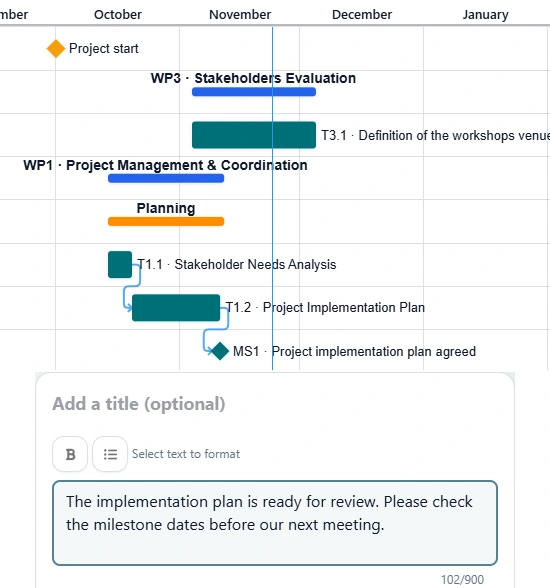
Everyone on the team keeps their tasks up to date in the same Gantt chart. They use the project’s communication feed to share updates and clarify open questions.
06 / 07
Choose what to share
- Company profile: Company admins can make the profile public to showcase a growing portfolio of projects.
- Project page: Project admins choose visibility separately for each project. A public page lets partners follow progress and see what the team has delivered.
Anyone with the link can view a public page. No sign-in needed.
07 / 07
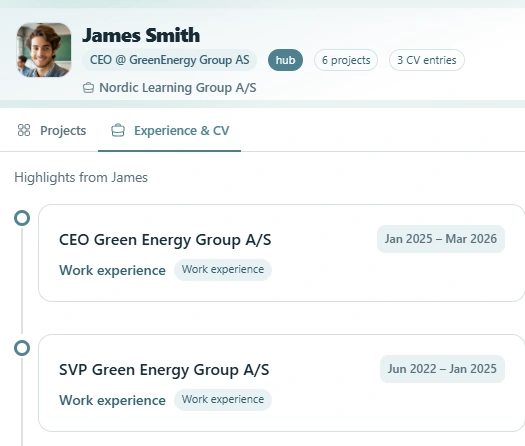
Show your experience in your Live CV
James uses his public profile to show the projects he has worked on and how his experience has grown over time.
planCoo How To Series
Follow step-by-step video guides to working in planCoo. Choose a tutorial from the playlist, then try it in your own project.
Watch playlistWho it's for
Companies & SMBs
Partners, subsidiaries, and joint ventures in one workspace. Collaborate across teams and organisations without the overhead.
Public Sector & NGOs
Accountability and transparency for grant-funded programs. Track cross-sector initiatives in one shared workspace.
Universities & Students
Student projects in one university hub. Students €5 / month, or licences the university provides. Existing LMS and file storage stay in place.
Hubs & Accelerators
Startup cohorts, student networks, and partner ecosystems. One license pool and portfolio view across all entities and countries.